Every color in your photos, as a code you can use

Pick a photo, get its palette. Color Picker from photos extracts up to 12 colors from any image and gives you HEX, RGB and HSL codes with one tap — on iPhone and iPad.

Free to start · 3 extractions/day 100% on-device · photos never uploaded 5.1 MB install 3-day free trial for Pro
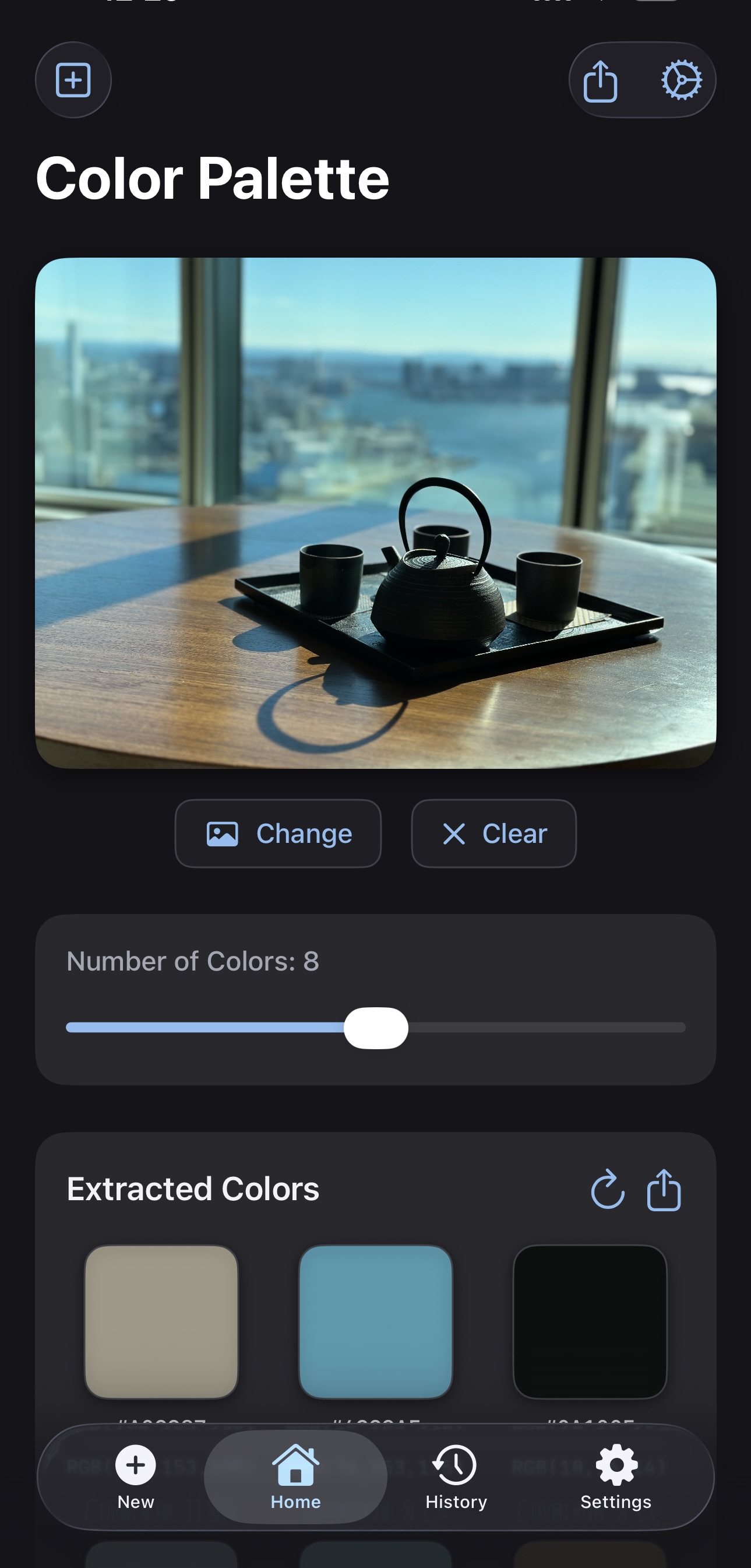
Color Picker from photos extracting a 12-color palette with hex codes from a photo
Screenshots

From photo to palette in seconds

Extraction, saved palettes and gradient code — everything happens in a few taps.

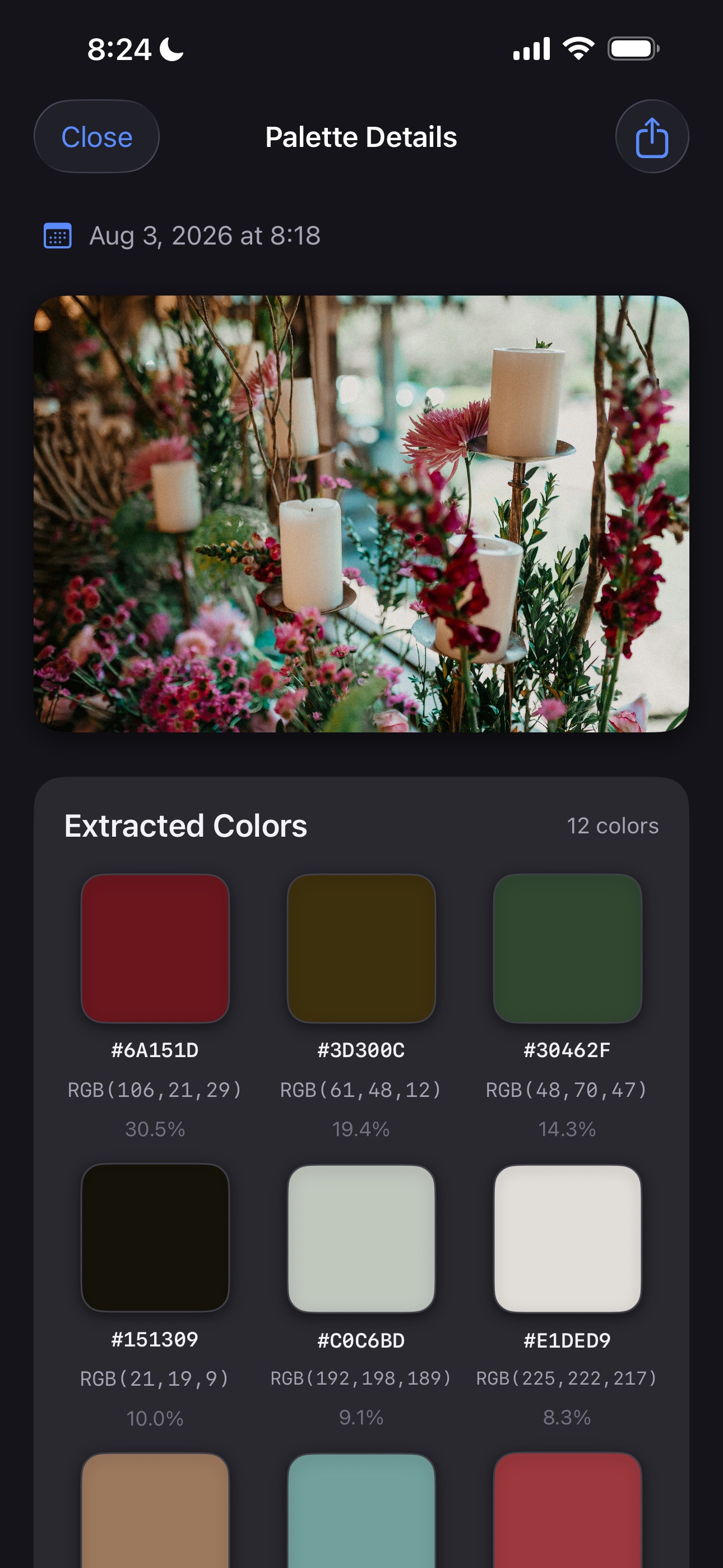
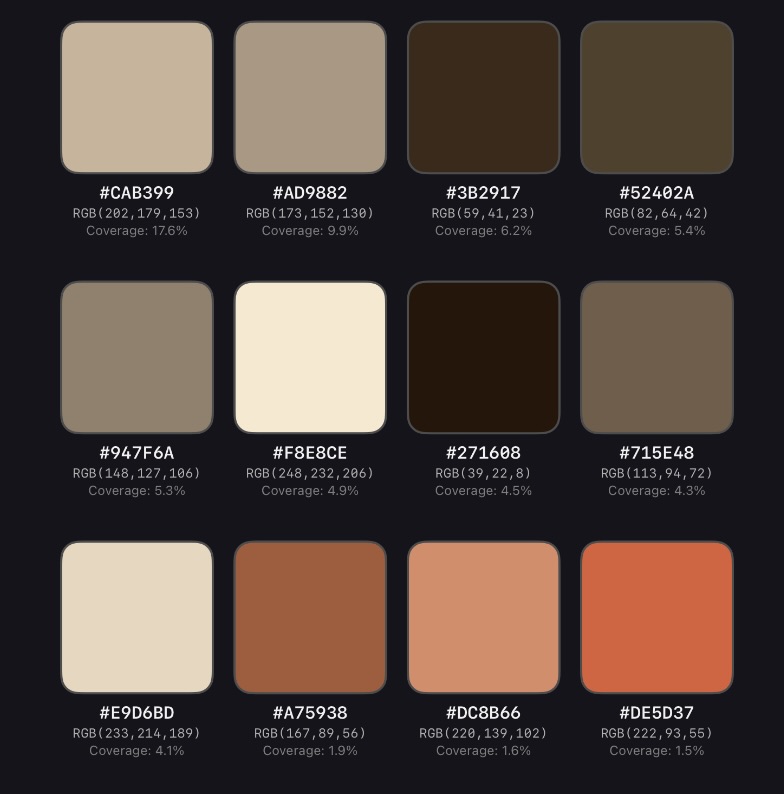
Saved palette details with twelve extracted colors, hex codes and coverage percentages
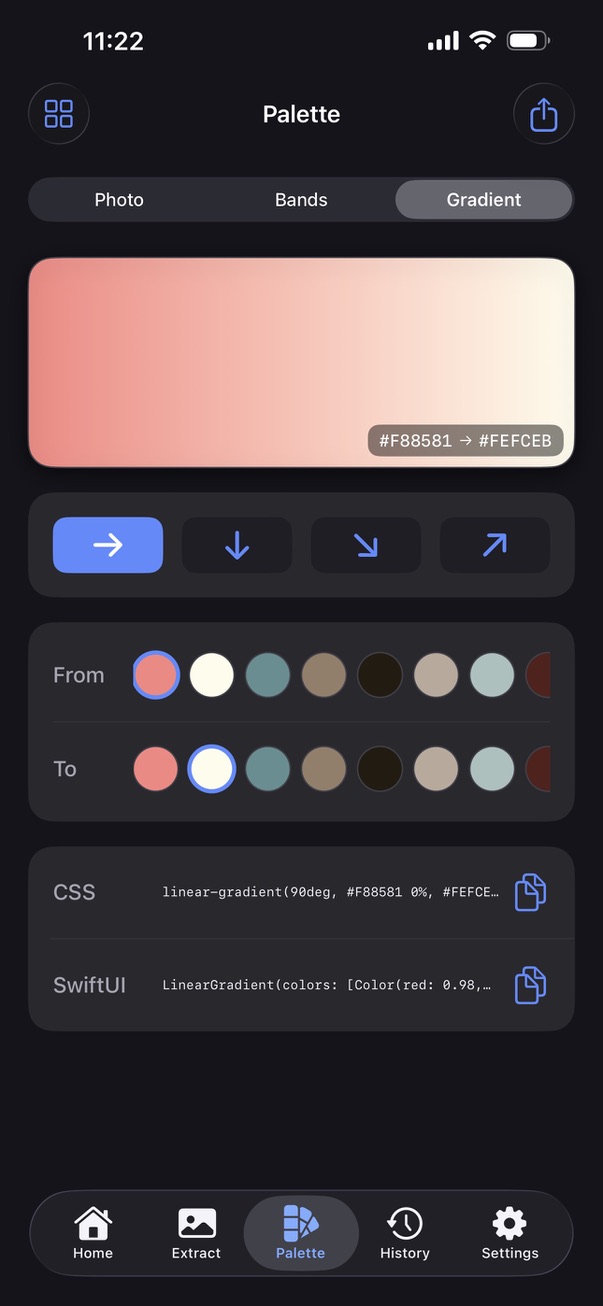
Gradient Studio generating a gradient between extracted colors with copyable code
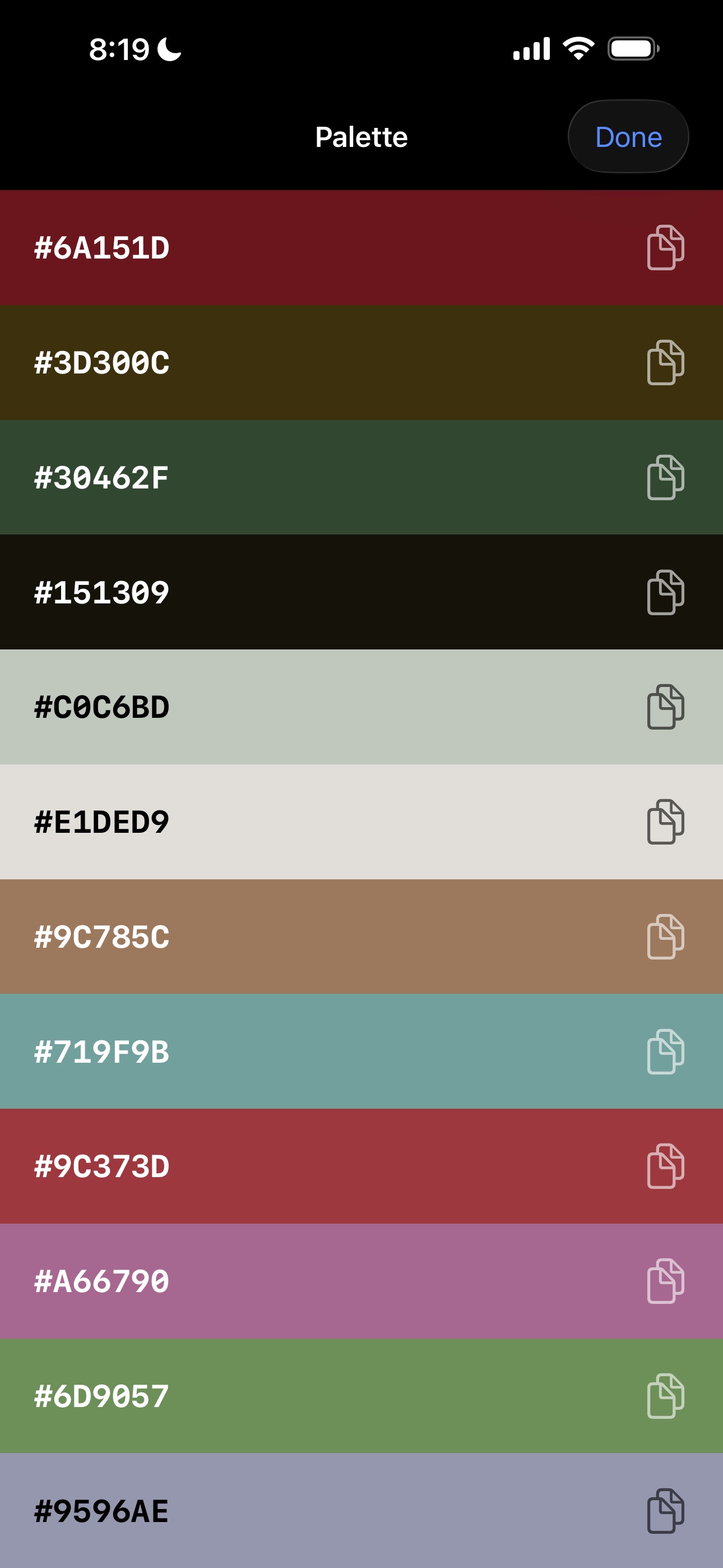
Full palette view with copyable hex codes for every extracted color
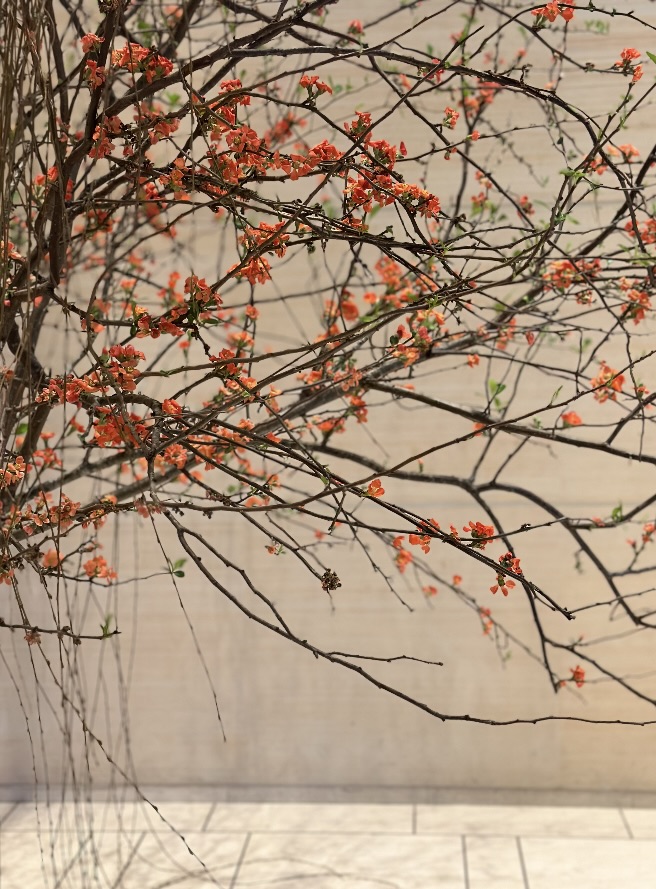
Extracting a color palette from a real-world photo with Color Picker

Take a photo to extract color code

A room you want to repaint, an outfit, a sunset, a client's mockup. Choose a photo from your library or take one with the camera, and the app analyzes it on your device — identifying dominant hues and subtle accents, each with a coverage percentage showing how prominent it is in the image.

A shareable palette image exported from Color Picker from photos

Share palettes people can actually use

Export any palette as a clean image for mood boards, client presentations or social posts — or share the hex codes as plain text. Every extraction is saved to your history automatically, organized by date, so your color inspiration never gets lost.

How it works

Three steps to any color code

1

Pick a photo

Choose an image from your library or take one with the camera. Nothing is uploaded — extraction runs entirely on your device.

2

Colors extract automatically

Get 2 to 12 distinct colors in seconds, adjustable with a slider, each with its coverage percentage.

3

Tap to copy or share

Tap any swatch for HEX, RGB and HSL codes with one-tap copy, explore shades, or export the whole palette as an image.

Features

A complete color toolkit in 5.1 MB

Up to 12 colors

Adjustable extraction with a coverage percentage for every color.

#

HEX · RGB · HSL

Complete code formats for web, print prep and design tools.

Gradient Studio

Build gradients between extracted colors and copy the CSS code.

One-tap copy

Tap a swatch, copy its code. No transcribing values by hand.

Shade Explorer

Slide through lighter and darker variations with live codes.

Shareable palettes

Export palettes as clean images or plain-text hex lists.

Palette history

Every extraction saved automatically, organized by date.

Private by design

All processing on-device. Photos never leave your iPhone.

Guides

Learn to work with color from photos

Practical walkthroughs for designers, decorators and everyone who needs an exact color.

FAQ

Questions, answered

How do I get the hex code of a color in a photo?
Open the photo in the app — colors are extracted automatically. Tap any swatch to see its HEX code and copy it with one tap. Learn more →
How many colors can the app extract from one image?
Between 2 and 12, adjustable with a slider. Each color shows a coverage percentage so you can tell dominant colors from accents. Learn more →
Can I get RGB and HSL values, not just hex?
Yes. Every color includes HEX, RGB and HSL values, each with its own copy button. Learn more →
Can it help me choose a paint color from a photo?
You can extract the exact color codes from a photo of a wall, fabric or object, then bring those codes to a paint store or a brand's matching tool to find the closest real paint. Learn more →
Can I build a brand color palette from a photo?
Yes. Extract up to 12 colors from an inspiration photo, use coverage percentages to choose dominant and accent colors, and export the result as a shareable palette image. Learn more →
Can I find lighter or darker versions of a color?
Yes. Shade Explorer lets you slide through lighter and darker variations of any color, with HEX and RGB codes updating live. Learn more →
Can I match colors from an outfit photo?
Yes. Extract the palette from an outfit photo to see its exact colors, then use Shade Explorer to find tones that pair with them. Learn more →
Is Color Picker from photos free?
It's free to start: 3 extractions per day with up to 4 colors per palette, no account required. Pro unlocks unlimited extractions and full 12-color palettes, with a 3-day free trial.
Are my photos uploaded anywhere?
No. All color extraction happens on your device. Photos are never uploaded or stored on a server.

Stop guessing colors. Copy them.

Free to start, no account required. Pro with a 3-day free trial when you need unlimited extractions and 12-color palettes.

Download on the App Store